
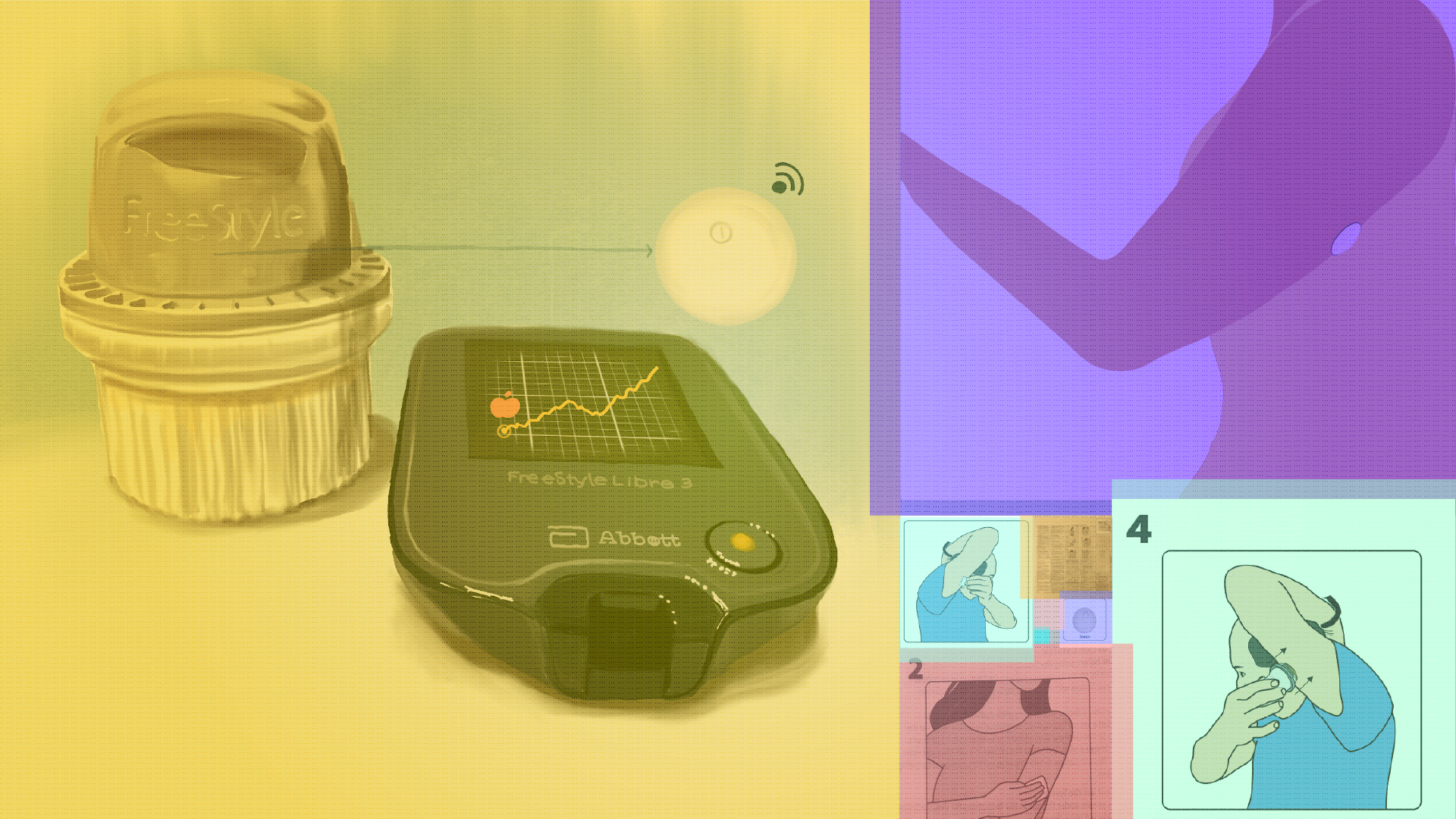
CGM Product Insert Redesign
An interview with a 60+ y/o diabetic Continuous Glucose Monitoring (CGM) user highlighted where the Freestyle Libre CGM device instructions can be improved, especially for new users. Using these insights, I propose a redesign of the product insert illustrations and information organization. [Jump to Design Improvements]
Background
-
Continuous Glucose Monitoring (CGM) is a wearable technology that tracks blood sugar levels 24/7 using a sensor that has a small needle placed just under the skin. The sensor connects to a smartphone app or a recorder that displays sugar levels over time and can be used to track trends and manage diet and medication.
Freestyle Libre 3 product insert.
-
The FreeStyle Libre 3 is a CGM developed by Abbott.
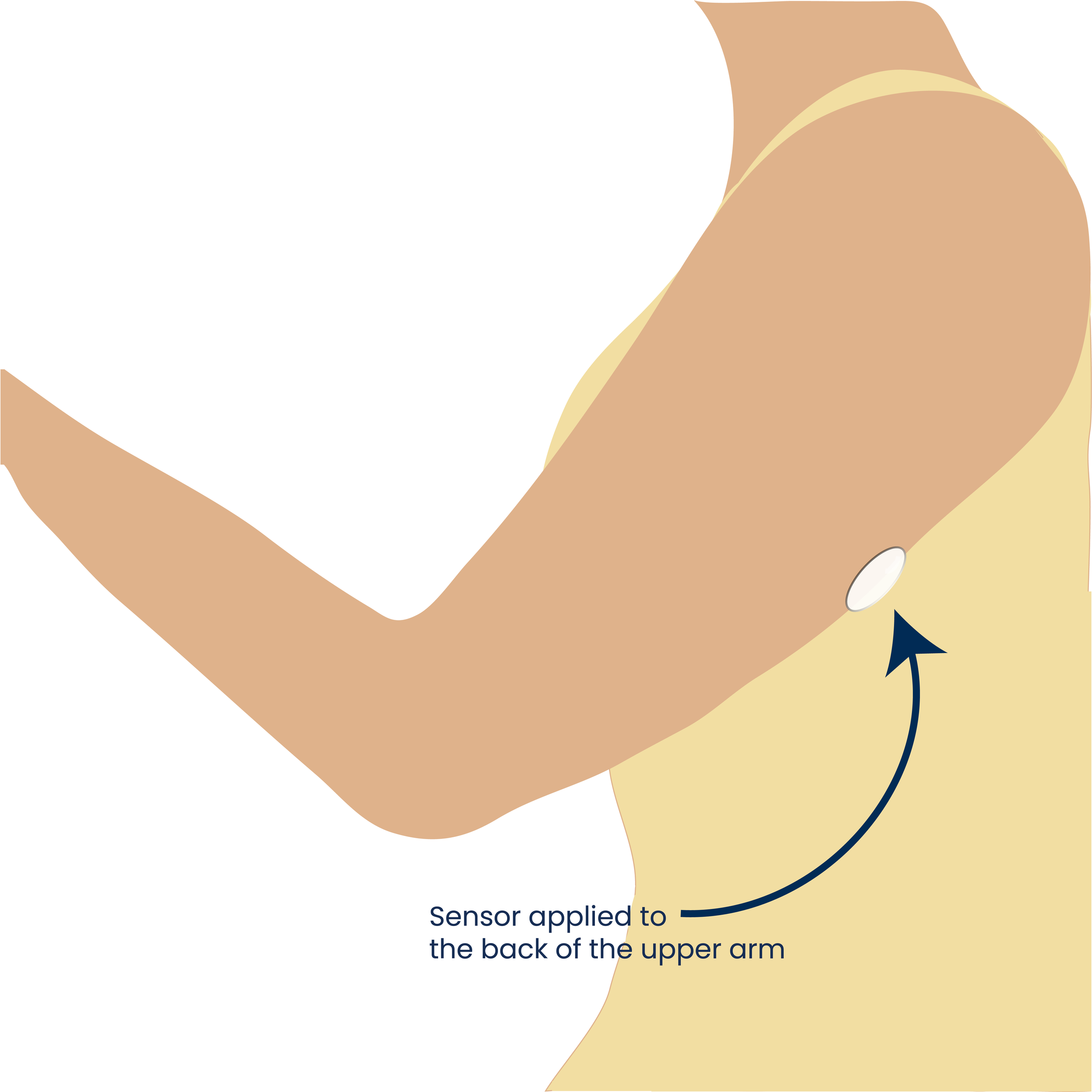
It comes with an applicator pre-loaded with the sensor, and a product insert that includes product indications for use along with written instructions and illustrations on how to apply the sensor to the back of the upper arm. The applicator is one-time use and works with a push mechanism.
The user can connect the sensor to a recorder or a smartphone app.
-
60+ y/o male with diabetes (has been managing condition for several years)
New to CGM (<1 year)
Focus of the interview was on his experience using the instructions (product insert- click to enlarge image) provided with Freestyle Libre CGM, as well as his overall experience with this device and other CGMs he has tried. He preferred to use the smartphone app over the recorder.
Insights from the
User Interview
The user did not rely on the product insert or the user manual to learn how to apply the sensor. He relied on YouTube videos as his primary source of instructions. Here are a few likely reasons why.
-
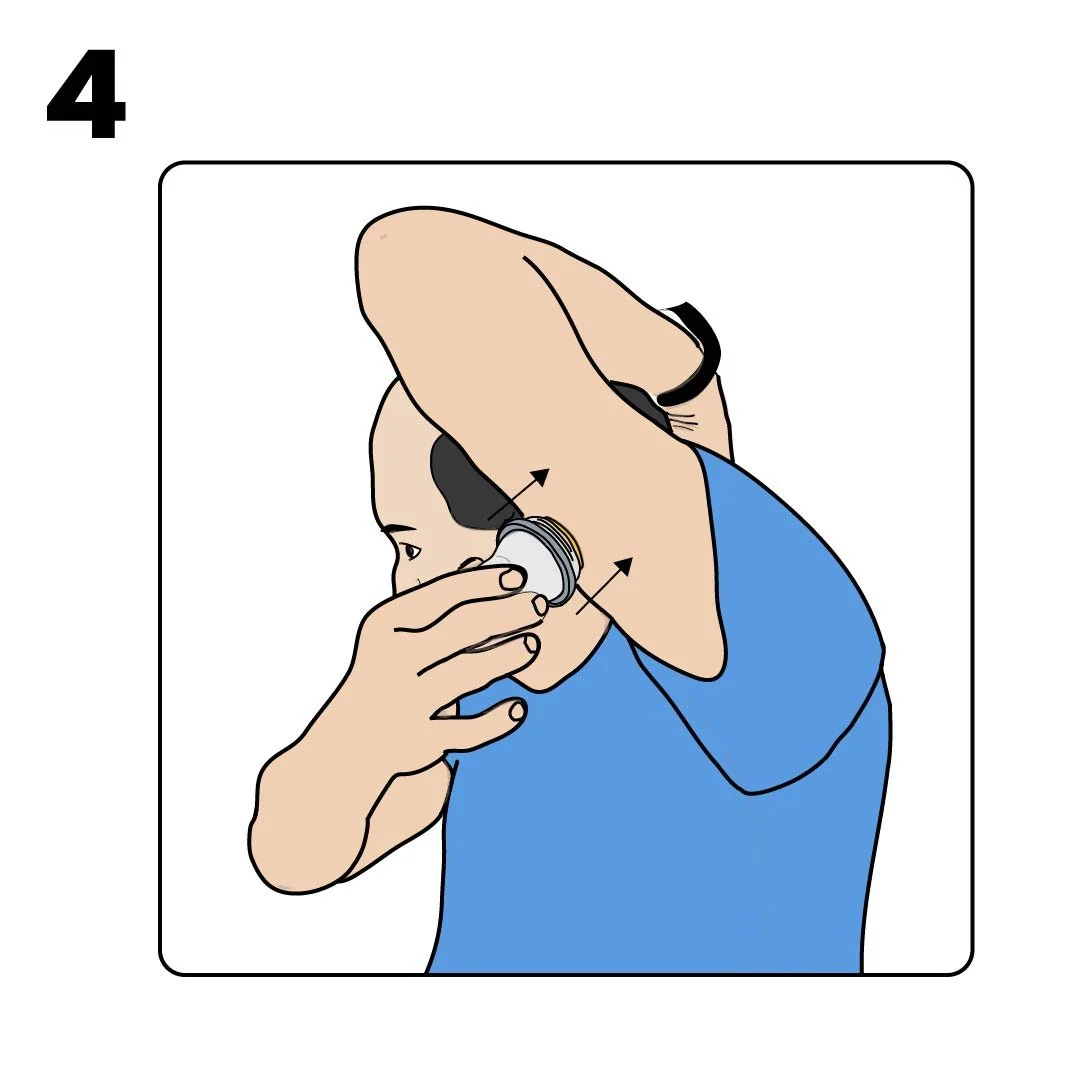
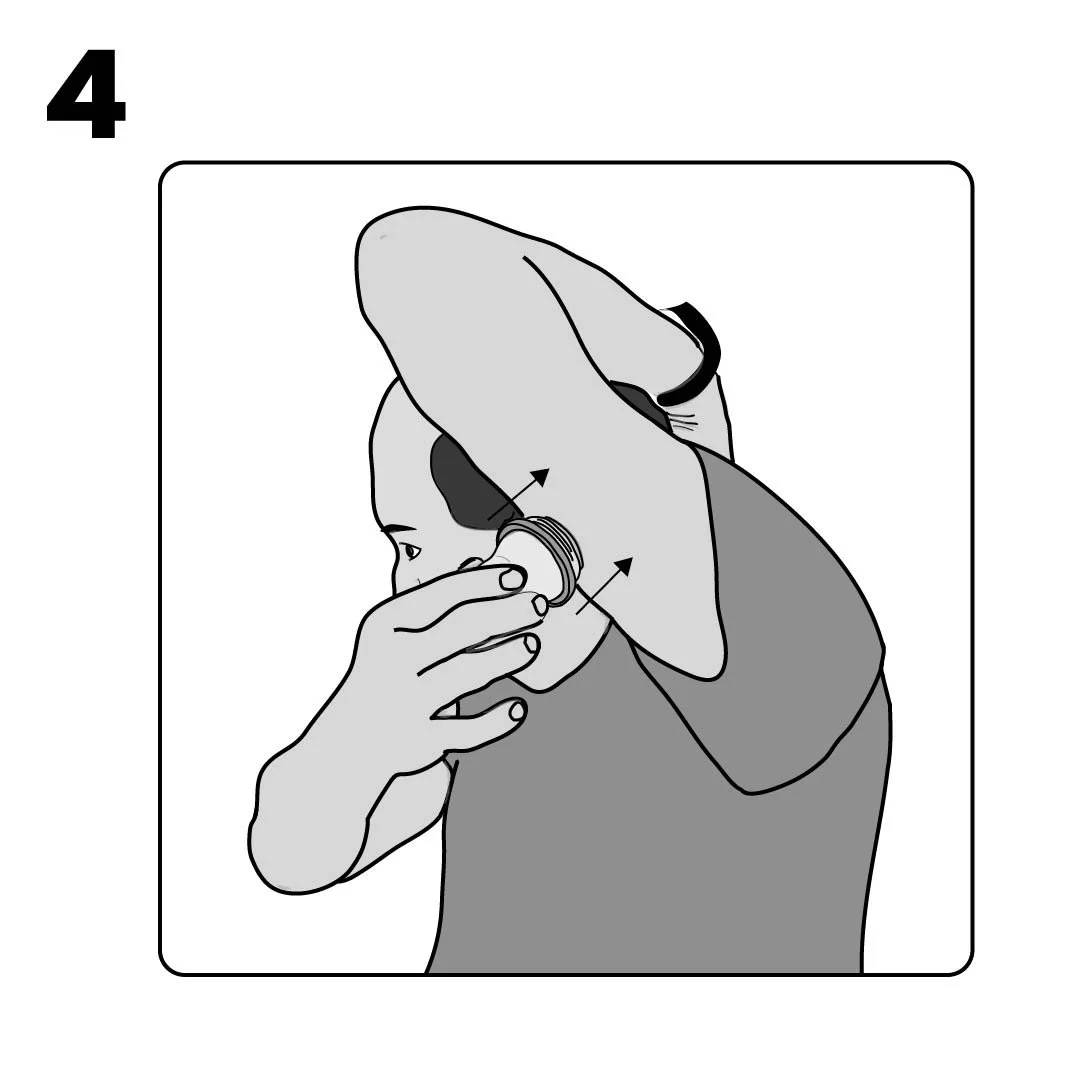
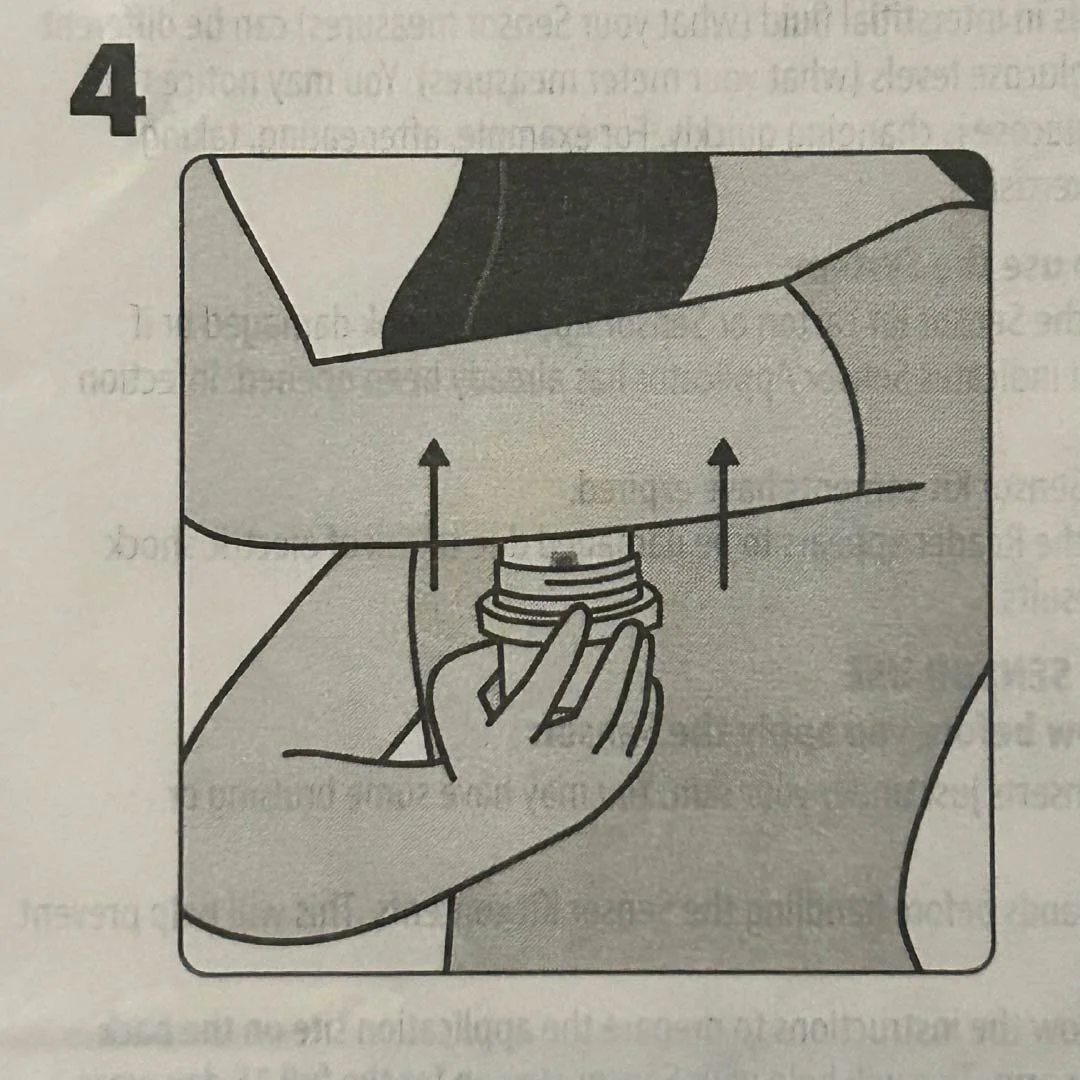
Observe illustration 4 from the product insert. In this image, the figure is holding her arm at a right angle while applying the sensor. However, the user noted that in actual use, he is much more easily and conveniently able to apply the sensor by raising his arm up (elbow pointing upwards) and then gently pushing the applicator. He learned this by watching a YouTube video tutorial by another user. This angle is more conducive to application as it creates a taut surface for the applicator.
A right-angle arm position may not create sufficient surface tension for reliable application for all users. The raised arm position creates a tighter surface, making it a more effective application angle across a broader range of body types.
-
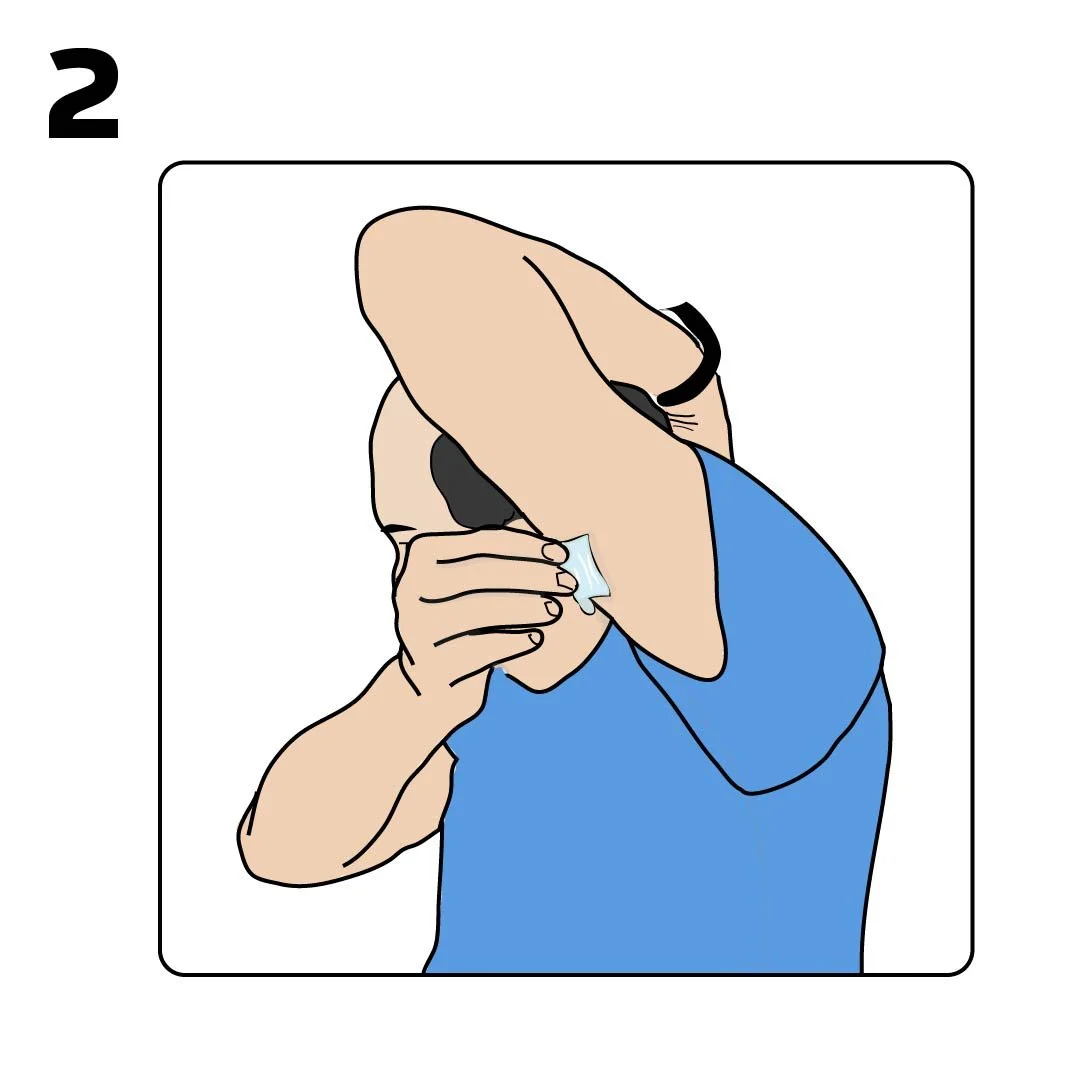
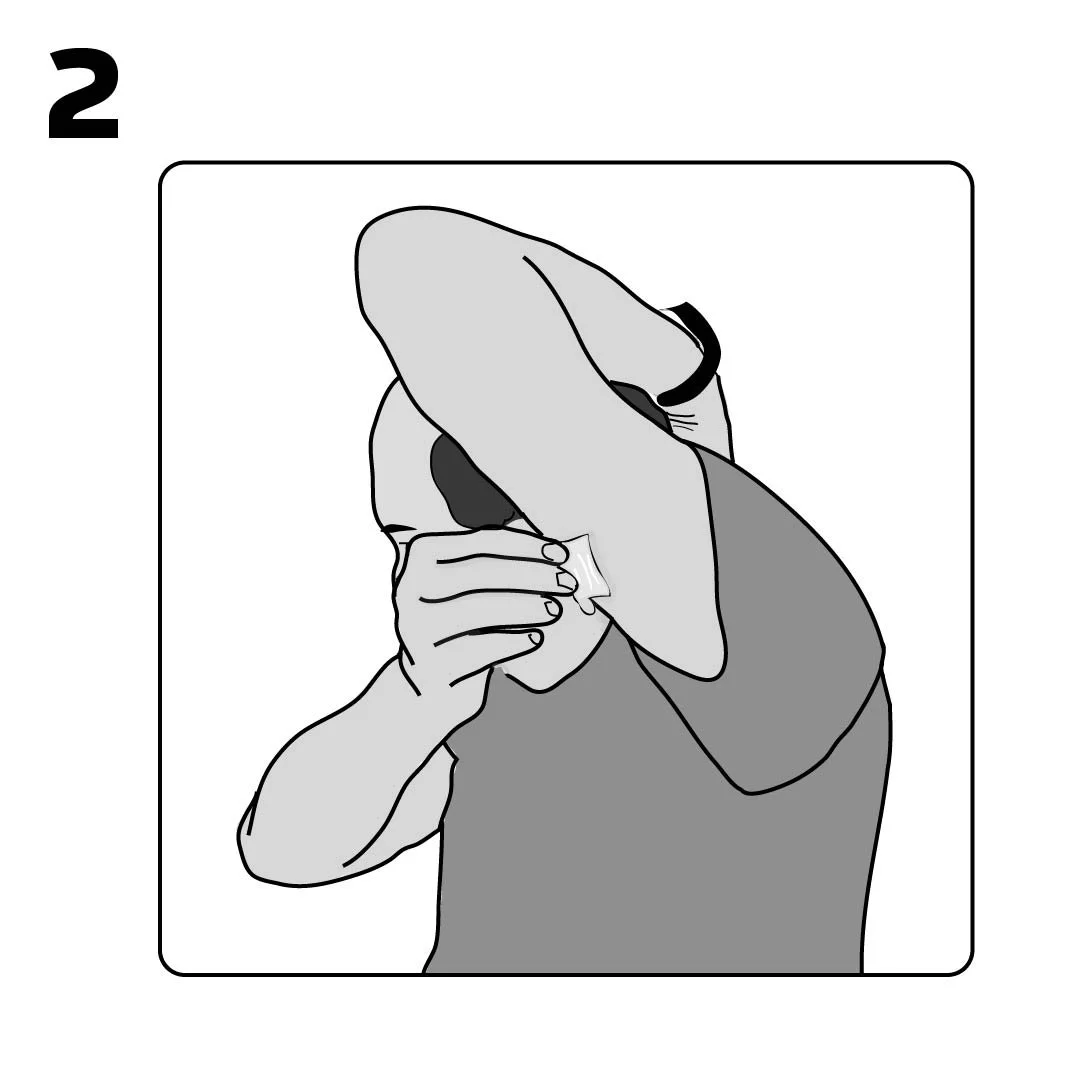
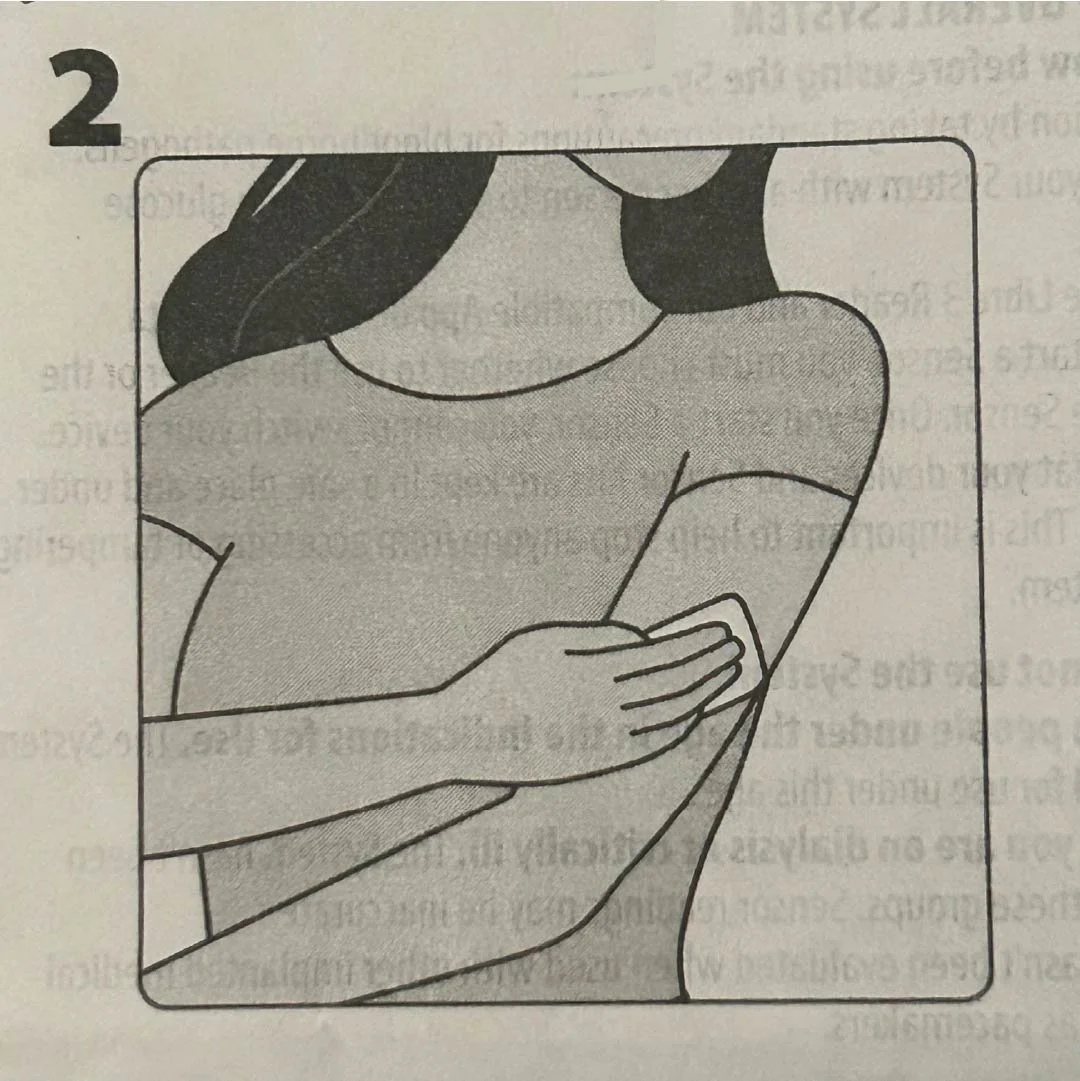
It appears as if the figure is cleaning the side of the arm rather than the back of the upper arm (intended site).
-
The instructions are separated from the corresponding illustrations (see the coral boxes on product insert photo), tips are not visually emphasized, and lack of color or gradients likely made spatial relationships more difficult to distinguish.
There were also small details in the product insert that the user only picked up by using the device or watching the video. For example, knowing the ideal placement of the sensor so that it is comfortable and does not move, and avoiding the same application site consecutively to allow skin to heal. These details were written in the product insert but were lost in all of the other text. (Click on product insert image to enlarge).
Design Improvements
① Show a figure position where the arm is raised while the applicator remains perpendicular to the surface of the back of the upper arm. Compare new illustrations with illustration 4 from the product insert.
② Change the perspective and angle at which the figure is cleaning the back of the upper arm so that it is clear that it is the back of the upper arm area.
③ Re-organize the product insert document so that the instructions corresponding to the images are closer together and tips on how to apply or maintain the sensor are further emphasized.
Highlight where the user manual can be found online, or include the full user manual with the box. Alternatively, the company can provide a physical copy of the quick start guide along with the product insert that improves the user experience. Increase font size. Consider printing product insert in color.